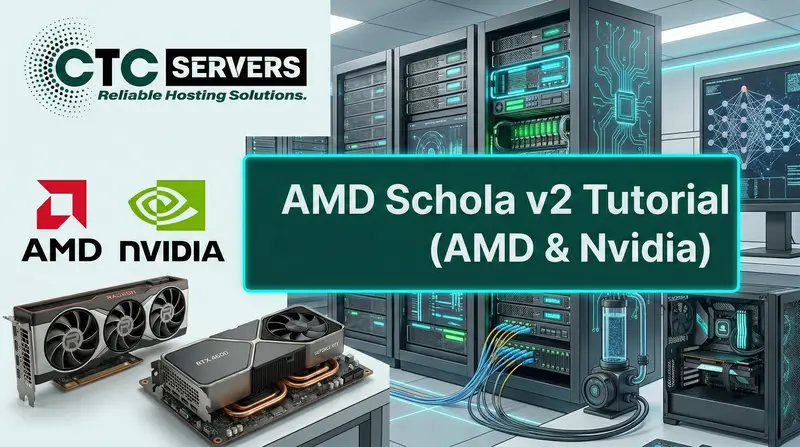
Understanding Schola v2’s Flexible Inference Architecture
AMD and Nvidia
What is AMD Schola?
At its core, AMD Schola is a powerful, open-source plugin for Unreal Engine 5 that acts as a bridge between your 3D environment and advanced artificial intelligence. Specifically, it connects Unreal Engine to popular Python-based reinforcement learning (RL) frameworks, such as Stable Baselines 3 and Ray RLlib. Instead of having to build complex machine learning pipelines from scratch inside the engine, Schola lets you use industry-standard Python tools to train your AI, and then easily plug those trained "brains" directly into your Unreal projects.
The main goal of this toolkit is to help developers create intelligent characters that actually learn from their experiences, rather than just following rigid, pre-programmed rules. Whether you want to build smarter NPCs for a video game, create realistic robotic simulations, or explore dynamic procedural behaviors, Schola provides the foundation. The AI agents learn by taking actions, observing the results, and adjusting their behavior over time, which results in much more natural and reactive gameplay.
One of the most important things to know about AMD Schola and a very common misconception is that you do not need an AMD graphics card to use it. Even though it is developed and introduced by AMD, the tool is completely hardware-agnostic, meaning it runs perfectly fine on Nvidia GPUs as well. It is a free, deeply flexible tool built to make next-generation machine learning accessible to the entire Unreal Engine community, regardless of what hardware is sitting in their computer.
What’s New in AMD Schola v2?
1. A Modular, "Plug-and-Play" Inference Architecture
- The Agent Interface (The Body): This defines how your AI interacts with the Unreal Engine world specifically, how it takes actions and gathers observations.
UInferenceComponent: A flexible component you can drop onto any existing Unreal Actor to instantly give it AI capabilities.AInferencePawn: A ready-to-use, standalone pawn tailored specifically for AI agents.AInferenceController: Implements the classic AI controller pattern for managing complex, multi-layered behaviors.- The Policy Interface (The Brain): This acts as the decision-making backend, turning the agent's observations into actionable commands. You can easily swap these out depending on your workflow:
UNNEPolicy: Leverages Unreal Engine’s Native Neural Network Engine for high-performance ONNX model inference.UBlueprintPolicy: Perfect for prototyping, allowing you to build custom decision-making logic entirely using Unreal's visual Blueprints.- Extensible Design: You can also easily plug in custom policy implementations or entirely new inference providers as needed.
- Stepper Objects (The Heartbeat): These control the timing and execution of your AI, coordinating how often agents "think" compared to the game's frame rate.
SimpleStepper: A straightforward, synchronous approach where the game waits for the AI to make a decision.PipelinedStepper: A high-performance option that overlaps the AI's inference calculations with the game's physics simulation, resulting in massively improved throughput.- Custom Steppers: You have the freedom to build bespoke execution patterns for highly specialized performance needs.
2. Native Minari Dataset Support for Imitation Learning
3. Dynamic Agent Management (Mid-Episode Spawning)
- Battle Royale & Survival Games: Agents can be eliminated, destroyed, and removed from the active training pool without interrupting the rest of the episode.
- Population Simulations: You can naturally spawn new agents based on specific environmental triggers, economy systems, or game events (like an RTS unit producing a new squad).
- Dynamic Team Composition: Add or remove AI teammates on the fly based on the player's choices.
- Procedural Generation: As a player moves through a procedurally generated world, you can dynamically create and activate new AI agents just-in-time.
4. Enhanced command-line interface
# Stable Baselines 3
schola sb3 train ppo ...

# Ray RLlib
schola rllib train ppo ...

# Utilities
schola compile-proto
schola build-docs
5. Massive Improvements for Unreal Engine Blueprints
6. Seamless Support for Modern RL Frameworks
Getting started with AMD Schola v2
Prerequisites
- Unreal® Engine 5.5+ (tested with 5.5 - 5.6)
- Python® 3.10 - 3.12
- Visual Studio® 2022 with MSVC v143 build tools (Windows®)
Installation
- Clone or download AMD Schola v2 from the official repository.
- Copy the plugin into your project’s
/Pluginsfolder. - Install the required Python package to enable full functionality and integration.
pip install -e <path to Schola>/Resources/python[all]
4. Enable the plugin within your Unreal Engine project to activate its features and seamlessly integrate it into your development workflow.
Compatibility
| AMD Schola Version | Unreal Engine Version | Python Version | Status |
|---|---|---|---|
| 2.0.x | 5.5 - 5.6 | 3.9 - 3.12 | ✅ Current |
| 1.3 | 5.5 - 5.6 | 3.9 - 3.11 | Legacy |
| 1.2 | 5.5 | 3.9 - 3.11 | Legacy |
CTCservers Recommended Tutorials

Web, Network
Step-by-Step Guide: Install AMD ROCm on Ubuntu with RX 6600 GPU
Learn how to quickly and easily set up AMD ROCm on Ubuntu for your RX 6600 GPU, enabling powerful machine learning, AI workloads, and GPU-accelerated computing right on your system.
Web, Network, Linux, Mysql, Ubuntu
LAMP Setup Guide 2026: Ubuntu & Debian | CTCservers
Install a secure LAMP stack on Debian or Ubuntu. Follow our step-by-step guide to configure Linux, Apache, MySQL, and PHP for your web server.
Web, Network, Ubuntu
Deploy Phi-3 with Ollama on Ubuntu GPU | CTCservers
Learn how to easily deploy the Phi-3 LLM on an Ubuntu 24.04 GPU server using Ollama and WebUI. Follow our step-by-step tutorial for seamless AI hosting.
Discover CTCservers Dedicated Server Locations
CTCservers servers are available around the world, providing diverse options for hosting websites. Each region offers unique advantages, making it easier to choose a location that best suits your specific hosting needs.